.png)
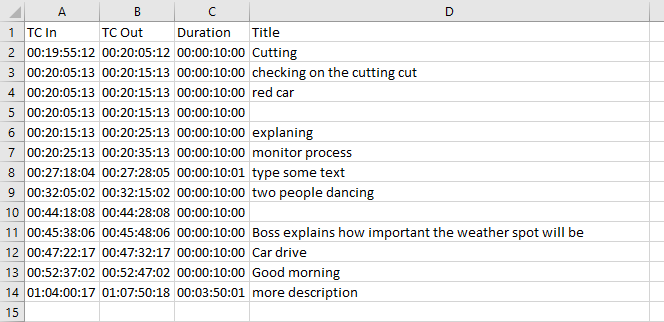
You can export the selected event list via the “Export as CSV” icon on top of the event list.

As a result, a csv is created and is automatically available in the downloaded files. The CSV file title contains the name of the event list. All configured metadata fields for the selected event list will be automatically exported.