.png)
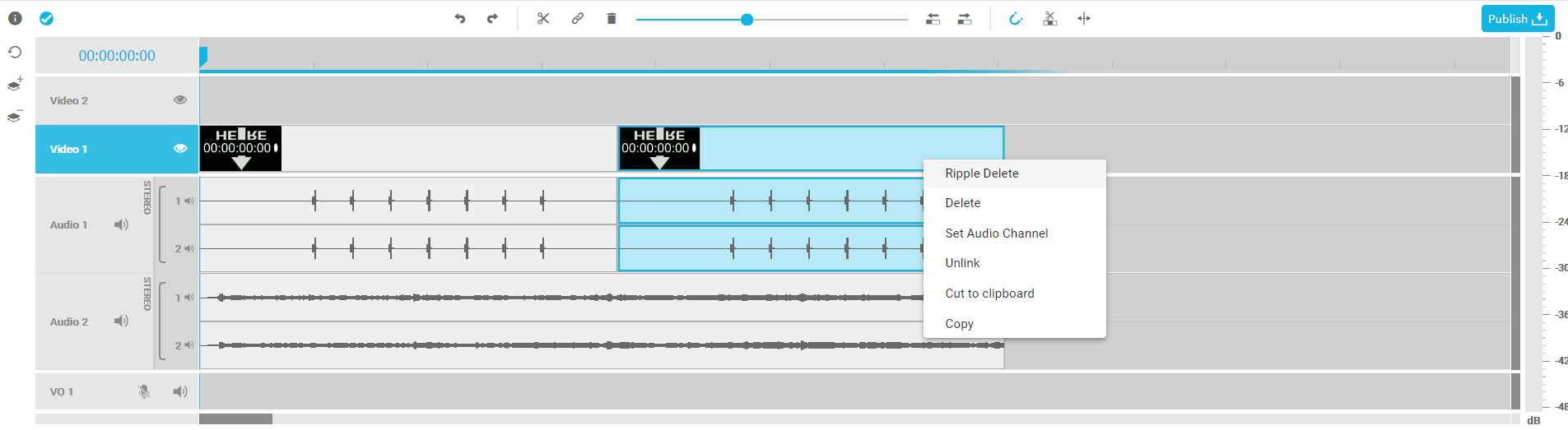
The design focuses on journalists and video producers who wish to concentrate on the composition and intuitively jump into fast editing - without having to deal with complex technical parameters.
The project timeline area serves as the space in which editors are able to generate a composition by editing a sequence. VidiEditor's project timeline has been designed to offer a broad set of editing functionalities designed for an easy-to-learn editing workflow without the need of deep technical knowledge. As a result, users are able to intuitively carry out typical functions and comfortably manipulate media in the timeline intuitively, using drag and drop functionalities as well as keyboard shortcuts. These include:
-
Easy navigation
-
Unlinked video and audio segments
-
Move segments in timeline and across tracks
-
Trim in and out points
-
Choose audio channels to use
-
Ripple edit and delete
-
Move and Overwrite
-
Insert edit use case via source player
-
Copy / paste option
-
Magnetic snap functionality
-
Voice over recording
-
Zoom
-
Undo / redo
-
Waveform display
-
Audio peak meter
-
Auto save functionality
-
Mute and hide option